Cloud Backup Readiness: Can Your Business Recover?
Assess cloud backup readiness with recovery targets, protected copies, and full-service restore tests. Build an evidence-based recovery action plan.
Your backup dashboard reports success. Before treating that status as recovery evidence, check what happened in the last restore test: which service returned, which recovery point was used, and whether the business owner accepted the result.
Those records connect backup activity to a business requirement. Without them, you cannot establish whether your current recovery process meets the agreed interruption and data-loss limits.
Use this guide to review one critical workload: define its recovery targets, examine backup protection, test the complete service, and assign owners to the gaps. Keep configuration records and test results alongside each decision.
ANTYXSOFT CLOUD provides Veeam-based backup infrastructure for cloud workloads. The methodology here applies regardless of platform.
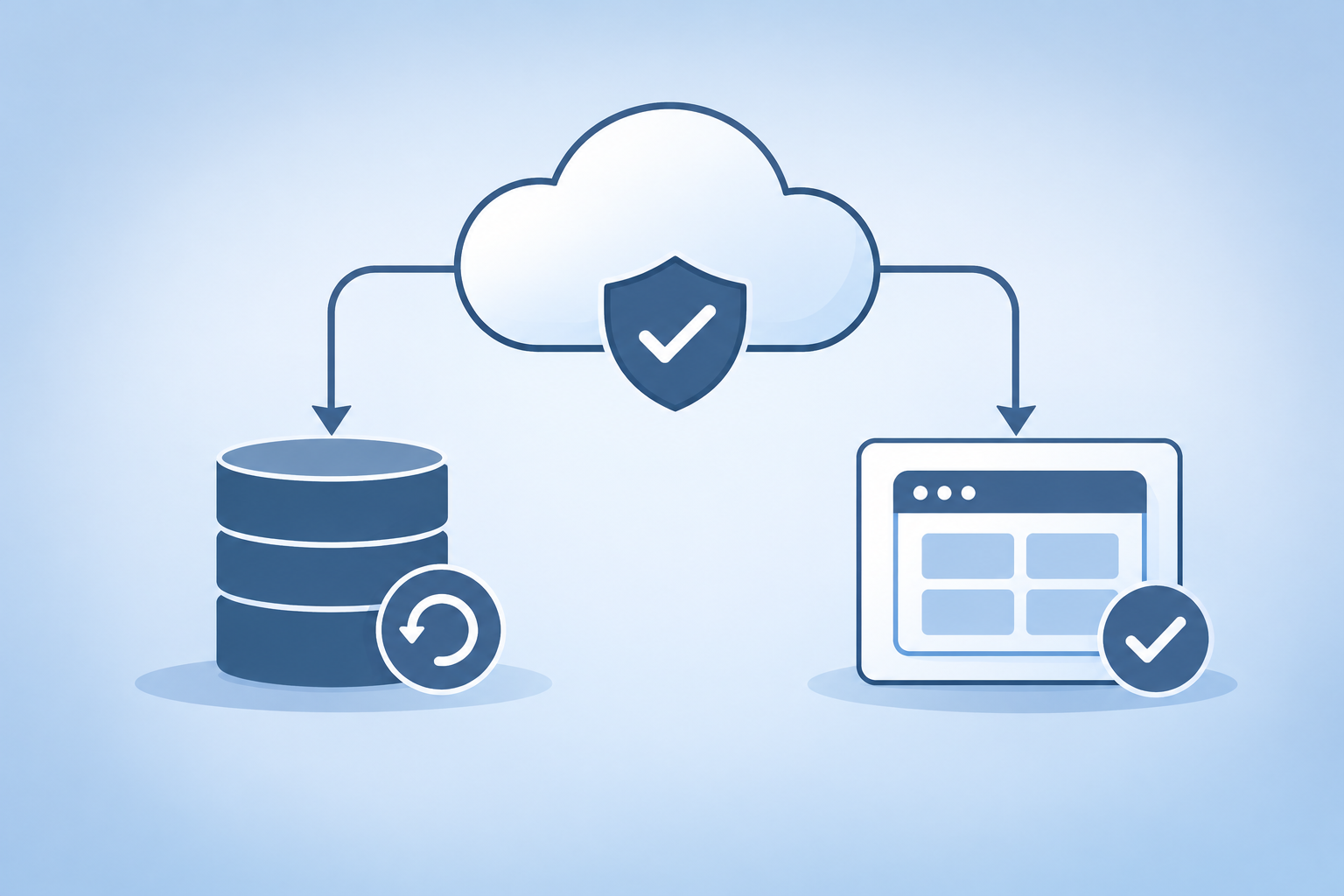
Key Takeaways: Cloud Backup Readiness
- A successful backup job needs supporting restore evidence before you can judge whether your service meets its recovery objectives.
- Define RTO and RPO per service, not per server, and tie each number to a measurable business consequence.
- Review backup deletion permissions, administrative access, and retention enforcement to reduce dependence on any single production credential.
- Test a complete service restoration on a risk-based schedule, measuring actual elapsed time and validating application function.
- ANTYXSOFT CLOUD provides Veeam-based backup and recovery services with recovery verification and scheduled disaster recovery tests.
What Proves Your Cloud Backups Are Recoverable?
A recorded restore test provides evidence that a particular workload recovered from a specific backup under stated conditions. Keep the recovery point, elapsed time, validation results, and unresolved limitations together.
Why a Green Backup Job Is Not Enough
Backup job status reports the outcome of the configured job. The checks performed depend on the platform, workload, and configuration. Review what your success status covers before treating it as restore evidence.
It does not confirm that the operating system will boot, that the application will start, that the database will reach a consistent state, or that dependent services will reconnect.
Each of those layers can fail independently. A VM backup might restore a disk image that boots into a kernel panic because a driver changed between backup and restore. A database backup might be block-consistent but application-inconsistent because the job ran outside a quiesce window.
The Recoverability Evidence You Need
Recoverability requires proof at three levels. First, infrastructure: the restored VM boots, mounts its filesystems, and obtains a network address. Second, application: the service process starts, passes its own health checks, and responds to requests. Third, data: transaction logs apply cleanly, referential integrity holds, and the dataset reflects the expected point in time.
Collecting that evidence means running an actual restore, not reading a job log. The job log is necessary but insufficient. Document the evidence after every test and store it alongside your DR runbook.
Common Failure Modes That Green Jobs Hide
Consider three failure scenarios when designing your restore test. First, missing dependencies: a VM restores correctly, but the external service it authenticates against (an LDAP directory, a license server, an API gateway) was not included in the backup scope. The VM boots. The application cannot start.
Second, configuration drift: the production environment has accumulated changes (firewall rules, cron jobs, environment variables) that were applied directly to the running system and never captured in a backup-eligible location. The restore produces a system that matches the last backup, not the current production state.
Third, storage-layer inconsistency: a backup that spans multiple volumes or database files without coordinated snapshots can produce a point-in-time mismatch. The database data file reflects 14:00, but the transaction log reflects 14:05.
Depending on the database and recovery method, that mismatch can require additional recovery steps or prevent a consistent restoration. Validate the supported backup procedure for the database in use.
How to Define Recovery Requirements for Cloud Workloads
Define recovery requirements at the service level, then map the applications, data, infrastructure, and people required to meet them. Have the business owner approve the targets and consequences before choosing technical controls.
RTO and RPO Are Service Metrics, Not Server Metrics
Recovery Time Objective (RTO) measures how long a service can be offline before the business impact becomes unacceptable. Recovery Point Objective (RPO) measures how much data loss, in time, the business can absorb. Both apply to a service as users experience it, not to individual VMs or volumes.
Write each recovery objective into a service-level record. Have the business owner approve the tolerated interruption and data-loss window before selecting a backup schedule.
A three-tier application might have four VMs, two database replicas, a load balancer config, and DNS records. Restoring each VM within two hours means nothing if reassembling the full service takes six.
Define the RTO measurement boundary in advance. Track service interruption through business-level validation, and record detection and declaration delays separately so they do not disappear from the outage timeline.
Tying Recovery Targets to Business Consequences
RTO and RPO numbers without business context are arbitrary. Tie each target to the consequence of missing it. A revenue-generating web application has a different RTO calculus than an internal wiki.
Map each service to its revenue impact, contractual SLA obligations, regulatory exposure, and downstream dependencies.
Where direct revenue loss cannot be quantified, document the operational, contractual, or customer impact used to justify the target. The exercise of calculating that cost often surfaces dependencies and stakeholders that the backup team did not know existed.
Prioritizing Services for Recovery
Not every service has the same recovery urgency. Rank your workloads into tiers: Tier 1 services that directly generate revenue or face regulatory deadlines, Tier 2 services that support Tier 1 operations, and Tier 3 services that can tolerate multi-day outages.
Assign RTO and RPO per tier, then validate that your backup schedule and retention policy can deliver those targets.
A service with a two-hour RTO backed by a daily backup that takes three hours to restore has an arithmetic problem. Backup frequency helps determine achievable recovery points; successful copy completion and application consistency also matter. RPO is the business requirement.
Restore duration is only one component of your total recovery time (RTO). Treat them as separate constraints.
Documenting Recovery Dependencies
Every service has dependencies that live outside its own VMs: DNS records, TLS certificates, external API keys, identity provider configurations, storage volume mappings, and network routing rules.
List each dependency per service. For every entry, answer two questions: is this dependency included in the backup scope, and can it be reconstructed independently if the backup is unavailable?
Dependencies that exist only in a running system and are not captured by any backup or configuration repository are single points of failure for recovery. Export non-secret configuration to a controlled repository and document recovery dependencies in your runbook. Keep credentials and private keys in an approved secrets-management process.
A service that depends on a manually configured load balancer rule has an invisible recovery step that adds time to your RTO and risk to your process.
The NIST SP 800-34 Rev. 1 Contingency Planning Guide provides a structured framework for identifying these dependencies and classifying systems by their recovery priority. Use it as a starting template if your organization does not already have a dependency mapping process.
How to Protect Backup Copies and Recovery Access
Protect the backup data, the administrative controls, and the credentials needed to recover it. Document which identities can change retention, alter protection settings, or remove copies, then test the failure scenarios that matter to your workload.
Why Backup Deletion Controls Matter
Ransomware operators frequently target backup infrastructure before encrypting production data. A common pattern involves compromising an admin credential, locating the backup repository, and deleting or encrypting the retention chain before deploying the payload.
The specific sequence varies by threat actor and environment, but the objective is consistent: eliminate the victim's recovery option.
If the same credential that writes backups can also delete them, a compromised credential may put retained copies at risk unless an independent control blocks deletion. The principle of least privilege applies directly here: separate the identity that performs scheduled backup writes from the identity that can perform deletions.
How you implement that separation depends on your backup platform and storage layer. Store the deletion credential in a break-glass procedure with audited access.
Isolating Backup Infrastructure from Production
Network isolation between production and backup infrastructure reduces the blast radius of a compromise. Consider a separate network segment for the repository. Permit only the documented backup, management, monitoring, and recovery connections required by your platform; test those rules before relying on them.
ANTYXSOFT CLOUD provides virtual private cloud capabilities that let you segment backup traffic into its own subnet. An offsite repository can add location separation when its physical placement and failure domain are independent of production. The 3-2-1-1-0 backup rule defines the minimum copy, media, and site diversity you should aim for.
Immutability and Retention Lock
Immutable backups prevent modification or deletion for a defined retention window. When correctly configured and enforced at the storage layer with appropriate permissions, retention enforcement can prevent changes during the protected period. Verify the mode, bypass permissions, scope, and expiry behavior rather than relying on the presence of a setting alone.
The effectiveness of immutability depends on the enforcement mode and the permissions granted to each identity. Some implementations offer a governance mode that administrators can override, while others offer a compliance mode that no identity can bypass.
Verify which mode your storage platform supports and configure it to match your threat model. Application-level immutability alone is insufficient if an attacker with storage-layer API access can bypass it.
Protecting Recovery Access and Credentials
Your backup infrastructure is only as recoverable as the credentials and configurations needed to access it. If the encryption key for your backup repository lives on the same server that was compromised, your backup data is intact but inaccessible.
Store encryption keys, repository connection details, and backup software configuration exports in a location that is both separate from the backup target and accessible during a full infrastructure outage. A secrets manager in an isolated account with separate MFA is one option.
Use a controlled offline recovery procedure where appropriate; restrict access and test retrieval without placing secrets in general documentation.
The mechanism matters less than the separation. ANTYXSOFT CLOUD provides offsite cloud repository integration with Veeam to maintain that separation in the backup chain itself.
How to Test a Complete Service Restoration
A full-service recovery test checks the restored application and its dependencies against your agreed targets. Use a controlled environment and document each recovery phase.
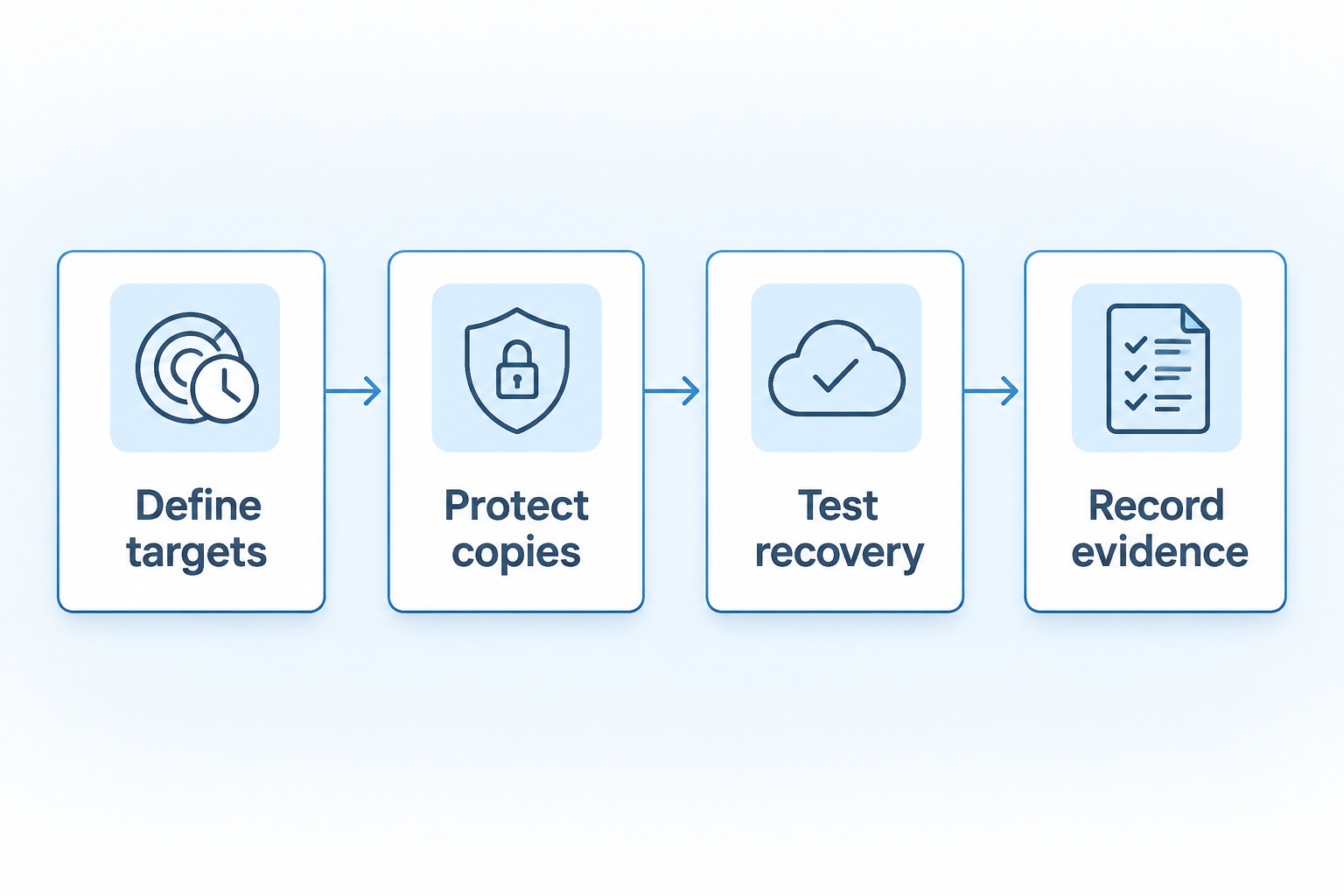
Running a Full Restore Test, Not a File-Level Spot Check
Restoring a single file from backup proves that the backup agent can read the repository. It does not prove service recoverability. A meaningful test restores the entire service stack into an isolated environment and verifies end-to-end function.
The test sequence: restore every VM that comprises the service. Boot them in the documented dependency order, including identity and DNS where required before databases, application services, and the web tier. Apply any configuration that lives outside the VM (DNS records, load balancer rules, firewall policies).
Verify that the service responds to synthetic transactions that exercise its core workflows.
Validating Application-Level Recovery
After infrastructure boots, run your application health checks against the restored environment. For a database, verify that the transaction log applied cleanly and that a known query returns the expected result. For a web application, confirm that login, core workflows, and API endpoints respond correctly.
Use application health checks that validate required dependencies, rather than relying only on an open network port.
Record the results with timestamps. Compare the actual recovery time against your RTO. If the restore completed in four hours but your RTO is two, the test succeeded technically but failed operationally. That gap needs an action item, not a note that the restore "worked."
Measuring Actual Recovery Time
Define the recovery timer consistently. In an incident, record service interruption, detection, declaration, and recovery start separately. In a test, record the simulated interruption and every recovery phase. Stop when the service passes business validation; disclose which incident delays were excluded from the exercise.
Record each phase separately: locating the correct restore point, initiating the restore, waiting for data transfer, booting VMs, applying configuration, running health checks, and confirming service availability.
This breakdown reveals where time accumulates. If most of your recovery time is spent locating the right restore point and reading the runbook, the fix is documentation and automation, not faster storage.
Documenting and Storing Test Results
Every restore test produces evidence that serves two purposes: internal improvement and external compliance. Store each test report with the date, the service restored, the restore point used, the actual recovery time broken down by phase, the application-level validation results, and any issues encountered.
Keep these reports in a location accessible to auditors and to the team that will execute the next real recovery. A test report from six months ago that nobody can find during an incident has no operational value.
Link each report to the corresponding entry in your retention policy documentation so auditors can trace the chain from policy to evidence.
How Often to Test Restore Procedures
Set your restore test cadence based on risk. For Tier 1 services with tight RTOs, quarterly full-service tests are a reasonable starting point. Increase frequency after major infrastructure changes: OS upgrades, database schema migrations, or changes to network topology can all invalidate a previous successful test.
Between manual tests, consider automated restore verification. ANTYXSOFT CLOUD offers recovery verification and sandboxed DR tests. Agree which workloads, application checks, and isolation controls are included in your test scope. That approach catches regressions between planned test cycles.
Reduce frequency for Tier 3 services where the cost of testing outweighs the risk of a delayed recovery. The cadence should reflect the service tier, the rate of infrastructure change, and the tolerance for untested restores in your environment.
How to Turn Recovery Gaps into an Action Plan
Turn each missing control or failed test into an owned action with a completion criterion and due date. Close the action only when the supporting configuration or retest evidence is recorded.
Building a Backup Readiness Checklist
Convert every test result and audit finding into a checklist item with a clear pass/fail criterion. A checklist removes ambiguity. Each item answers one question: does this control exist and work?
Structure the checklist across four domains:
- Recovery requirements: RTO and RPO documented per service tier, tied to business impact, and reviewed on the agreed schedule and after material changes.
- Backup protection: Write and delete credentials separated, network isolation in place, immutability configured at the storage layer with the appropriate enforcement mode, encryption keys stored independently.
- Restore proof: Full-service restore tested within the most recent test cycle, actual recovery time recorded and compared to RTO, application health checks passed post-restore.
- Ownership and tracking: Each checklist item has a named owner, a review date, and a remediation deadline for any failing item.
Assigning Ownership to Every Gap
A finding without an owner is a finding that persists. Assign each gap to a named individual with the authority and access to fix it. "The infrastructure team" is not an owner. A specific person with a title and a deadline is an owner.
Set a remediation deadline proportional to the risk. A missing credential separation on a Tier 1 backup repository warrants immediate attention. Prioritize a missing test for a lower-tier service according to its recovery requirements, exposure, and approved risk tolerance. Document the deadline alongside the finding and review it at the next scheduled check.
Tracking Remediation Progress
Use a tracking mechanism that is visible to both the backup team and their management chain. A shared spreadsheet works. A ticket in your issue tracker works. The mechanism matters less than the visibility.
Review open items monthly. Escalate any item that has missed its deadline without a documented reason. The goal is a closed-loop process where every gap either gets fixed or gets an explicit risk acceptance from someone authorized to make that call.
Reviewing and Updating the Checklist
The checklist is not a one-time exercise. Review it after every infrastructure change that affects backup scope: new services, decommissioned servers, changes to cloud infrastructure configurations, storage tier migrations, or backup schedule modifications.
Set a documented review cycle for the full checklist, with additional reviews after material changes. Where external obligations or assurance programs apply, map the evidence to the relevant requirements and review calendar. This checklist does not establish compliance on its own.
Auditors want evidence of a living process, not a checklist that was filled out once and filed. The snapshot strategy post covers how snapshot schedules fit into this broader verification process.
Discuss Your Backup Requirements with ANTYXSOFT CLOUD
ANTYXSOFT CLOUD provides managed Veeam Backup Services with automated protection and restore capabilities for cloud workloads. Its Veeam backup and DRaaS offering includes an offsite repository, recovery verification, and sandboxed failover tests. Confirm the workload scope and agreed recovery targets for your environment.
If you have worked through the checklist above and found gaps you need help closing, or if you want to validate your current backup architecture against the recovery requirements you have defined, contact the ANTYXSOFT CLOUD team to discuss the workload scope, retention requirements, and recovery targets.
Cloud Backup Recovery FAQs
What is the difference between RTO and RPO?
RTO (Recovery Time Objective) is the maximum acceptable time to restore a service after a disruption, with measurement boundaries agreed in advance. RPO (Recovery Point Objective) is the maximum acceptable data loss measured in time. Both should be defined per service and tied to specific business consequences.
ANTYXSOFT CLOUD agrees recovery targets per workload for its DRaaS offering.
How often should you test cloud backup restores?
Set the cadence based on the service tier and rate of infrastructure change. For critical Tier 1 workloads, quarterly full-service tests are a reasonable starting point. ANTYXSOFT CLOUD offers recovery verification and scheduled DR tests. Agree the test scope and cadence for your workloads.
Why do ransomware attacks target backup infrastructure?
Attackers frequently attempt to delete or encrypt backup repositories before deploying ransomware, aiming to eliminate the victim's recovery option and increase pressure to pay. Separating write and delete credentials, isolating backup networks, and configuring storage-level immutability with the correct enforcement mode reduce exposure to this pattern.
What does an immutable backup protect against?
When configured with the correct enforcement mode and permissions, immutable backups prevent modification or deletion for a defined retention period. This reduces exposure to ransomware, accidental deletion, and insider threats. Verify the enforcement mode (governance vs. compliance) your storage platform supports before relying on it.
How do you measure actual recovery time accurately?
Record the service interruption (or simulated interruption), detection, declaration, and recovery start. Include every phase: locating the restore point, transferring data, booting VMs, applying configuration, running health checks, and confirming the service passes business validation. Record each phase separately to identify where time accumulates.
What should a backup readiness checklist include?
Cover four domains: documented RTO/RPO per service with business-impact justification, backup protection controls (credential separation, network isolation, immutability with verified enforcement mode), restore proof from recent full-service tests with recorded recovery times, and named ownership with remediation deadlines for every gap. ANTYXSOFT CLOUD provides Veeam-based offsite backup and recovery services to support that plan.