Networking

Cloud Load Balancers — managed traffic distribution and high availability

Antyxsoft Load Balancers distribute HTTP, HTTPS and TCP traffic across multiple cloud servers, terminate SSL at the edge and use active health checks to take a failing backend out of rotation automatically. A fully managed, redundant load balancing service for high-availability applications — you set the forwarding rules, we run the layer.

Active health checksSSL terminationBackends targeted by tag
portal.antyxsoft.io/load-balancers
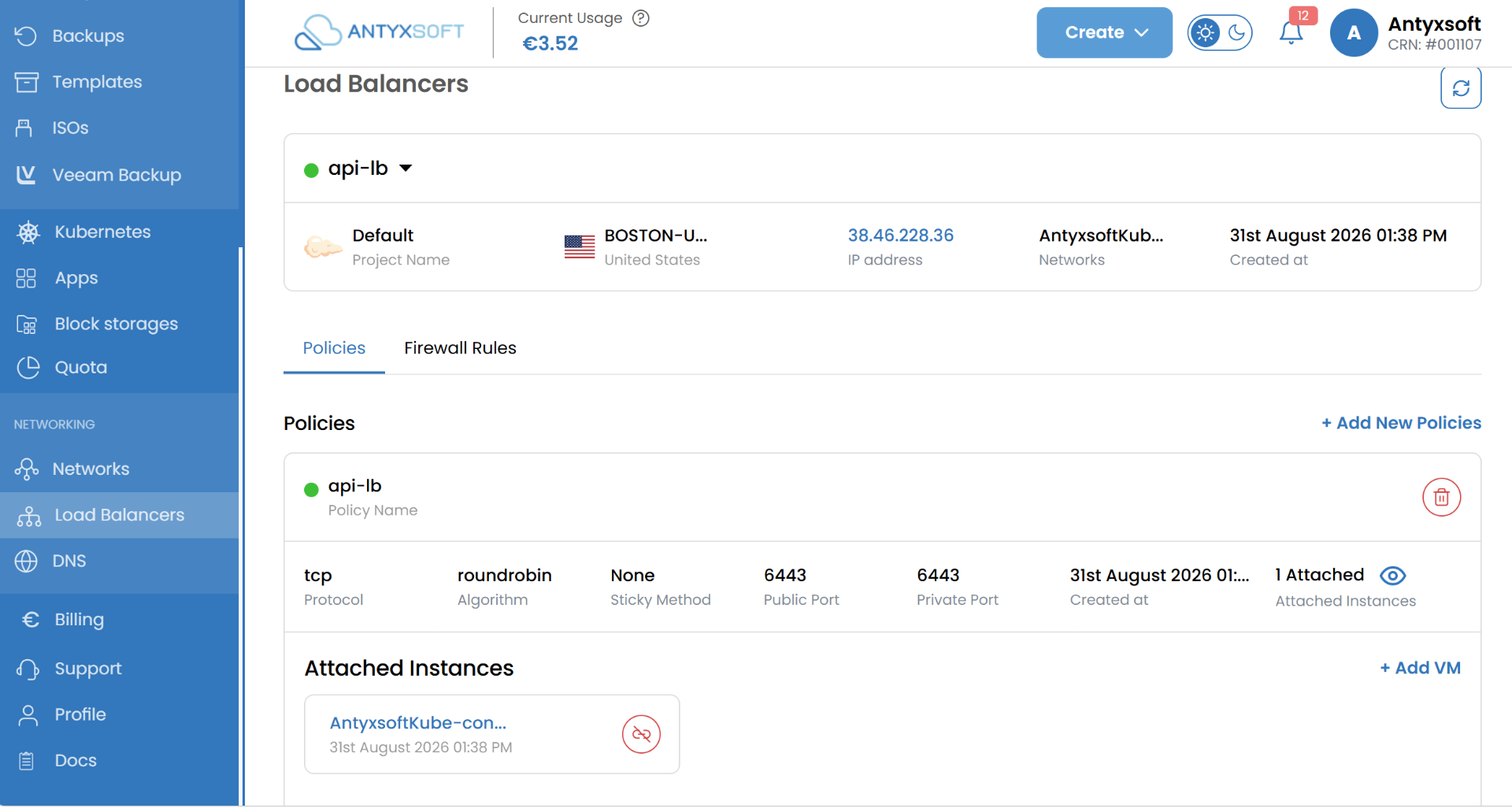
The Antyxsoft control panel showing a load balancer named api-lb with a round robin TCP policy on port 6443 and one attached instance.
Load balancer policies and attached instances in the Antyxsoft control panel

Benefits of Antyxsoft Load Balancers

The part of the stack that must never be the single point of failure — run by us, configured by you.

Failure taken out of rotation

Active health checks detect a sick backend and stop sending it traffic, then restore it automatically when it recovers.

Scale horizontally

Add instances behind one address instead of buying a bigger server, and take them out again when the peak passes.

Deploy without downtime

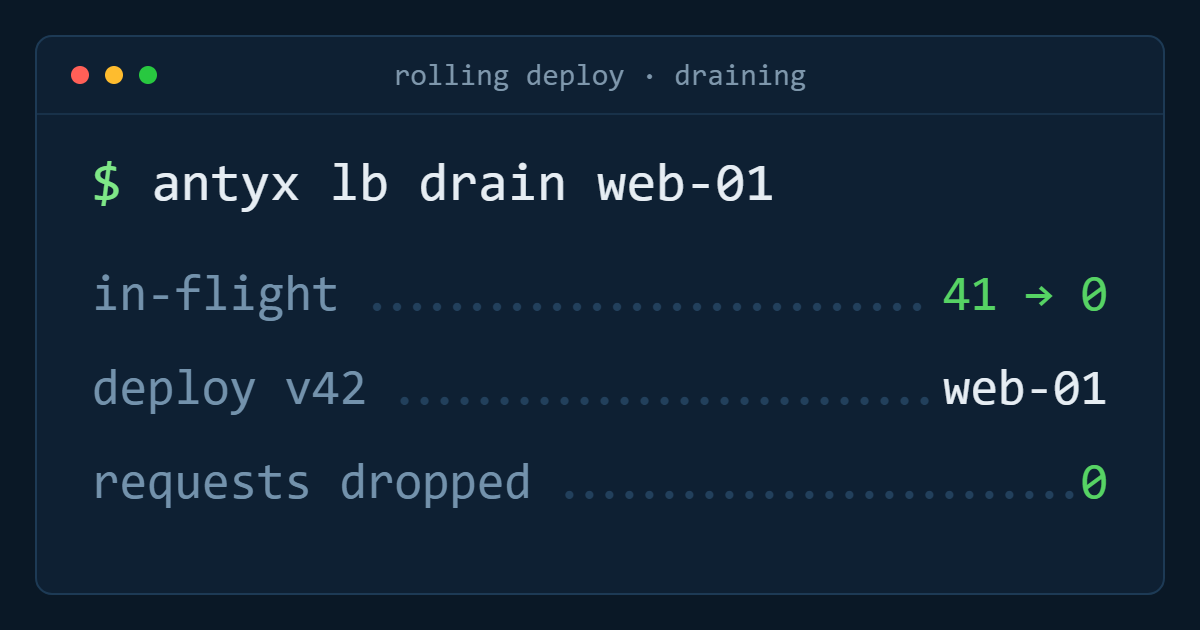
Drain a backend, release to it, put it back — rolling and blue-green deployments with no maintenance window.

TLS at the edge

Terminate HTTPS on the load balancer with your certificate, or pass it through to backends that handle it themselves.

Nothing to patch

No HAProxy pair to build, monitor and upgrade — the redundancy of the load balancing layer is our problem.

Fits your automation

Target backends by tag and manage the whole configuration from the portal, the API or infrastructure code.

Health checks

A failing server should be a graph, not an incident

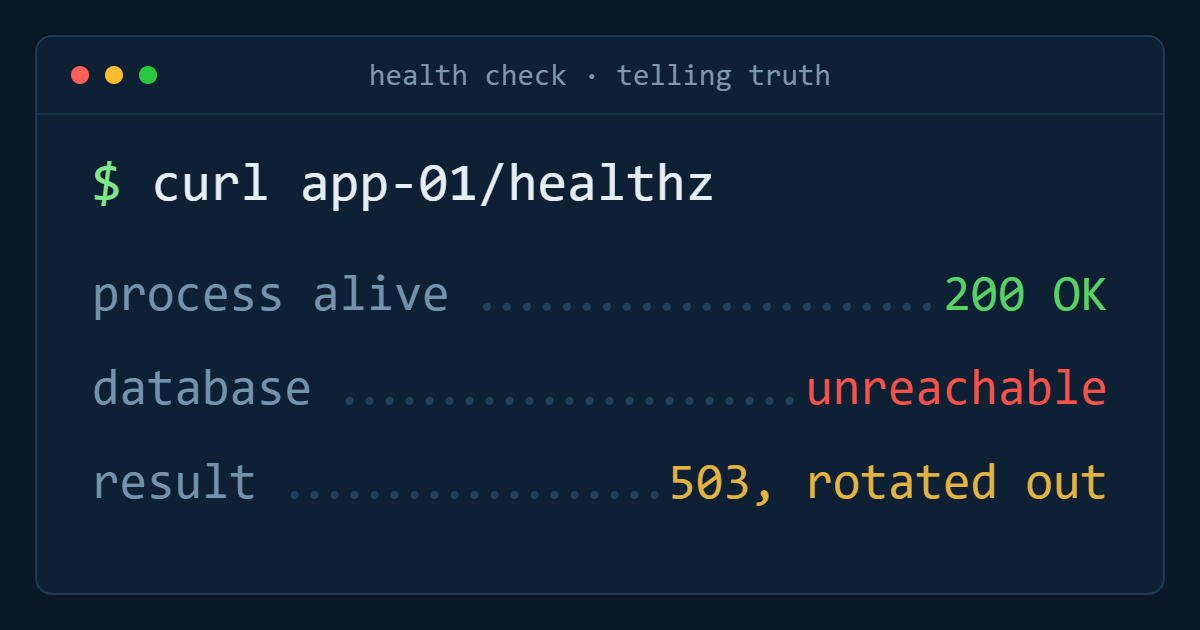
Point the health check at a TCP port or an HTTP path — ideally one that verifies the database connection too, not just that the process is alive — and set the interval and failure threshold. Traffic stops going to a backend that fails, and resumes when it passes again, without anyone being paged at 03:00.
TCP connect or HTTP path checks with configurable interval
Failure and recovery thresholds you choose
Automatic return to the pool once healthy
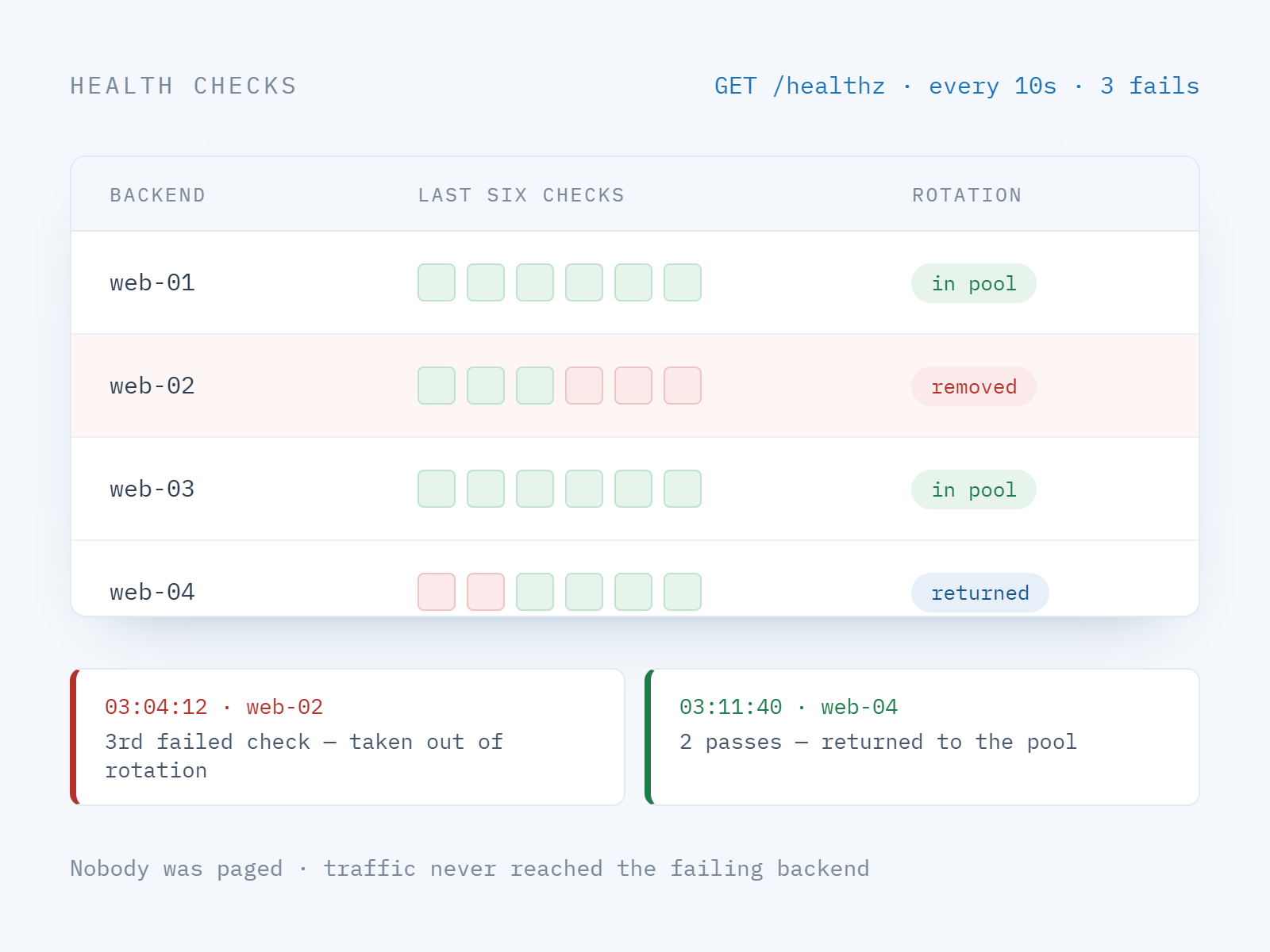
A load balancer health check marking one backend unhealthy and removing it from rotation, then returning it once it passes again.
Forwarding rules

Layer 4 and layer 7, in the same load balancer

Forward HTTPS on 443 to HTTP on the backends, keep a raw TCP rule for a message broker or database proxy, and choose how requests are spread: round robin for uniform backends, least connections when request cost varies. Sticky sessions keep a client on one server for applications that still hold state locally.
HTTP, HTTPS and TCP forwarding rules per port
Round robin or least connections distribution
Sticky sessions for stateful applications
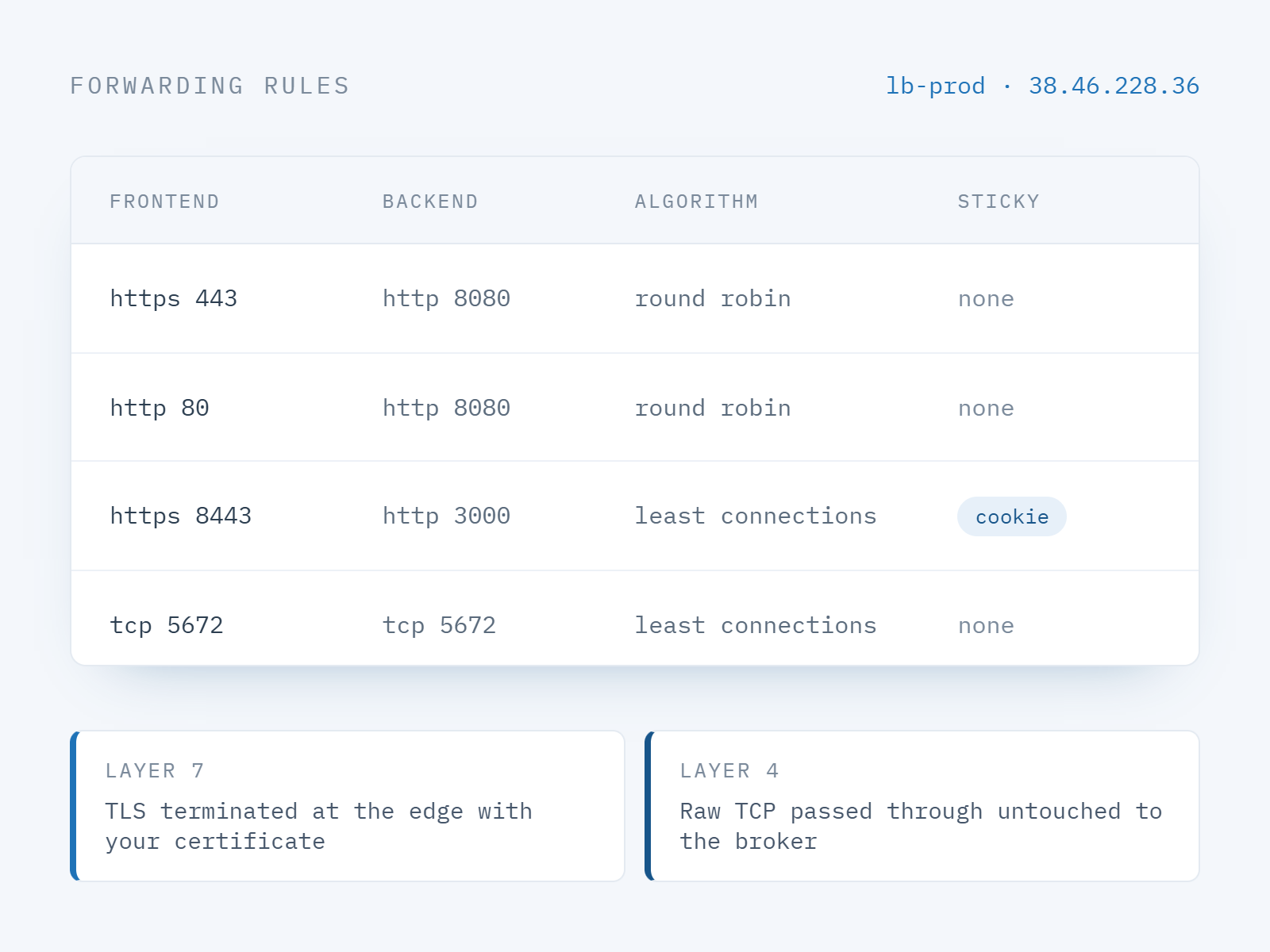
Forwarding rules on an Antyxsoft load balancer: HTTPS 443 to HTTP 8080, HTTP 80 redirected, and a raw TCP rule for a message broker.
Platform fit

Wired into tags, VPC, firewalls and Kubernetes

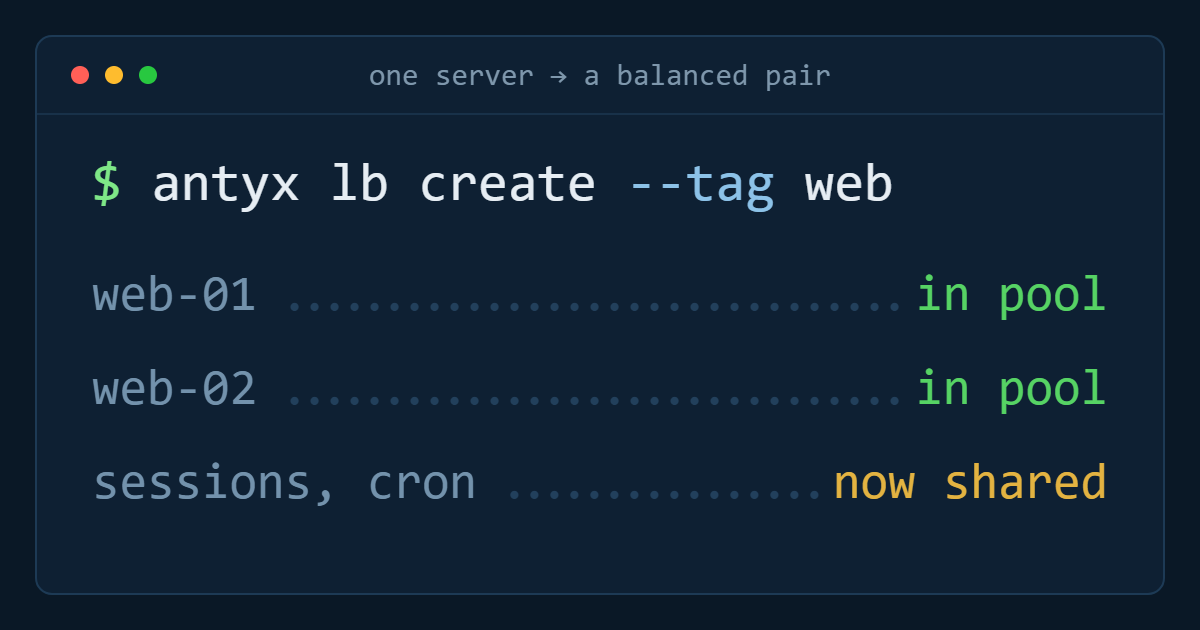
Target a tag instead of a list of servers and the pool follows your fleet as it changes. Place the load balancer in a VPC, let a Cloud Firewall allow backend traffic only from the load balancer, and expose Kubernetes services through the same layer.
Tag-targeted pools that track autoscaling
Deploys inside your VPC, behind firewall policy
Service exposure for managed Kubernetes clusters
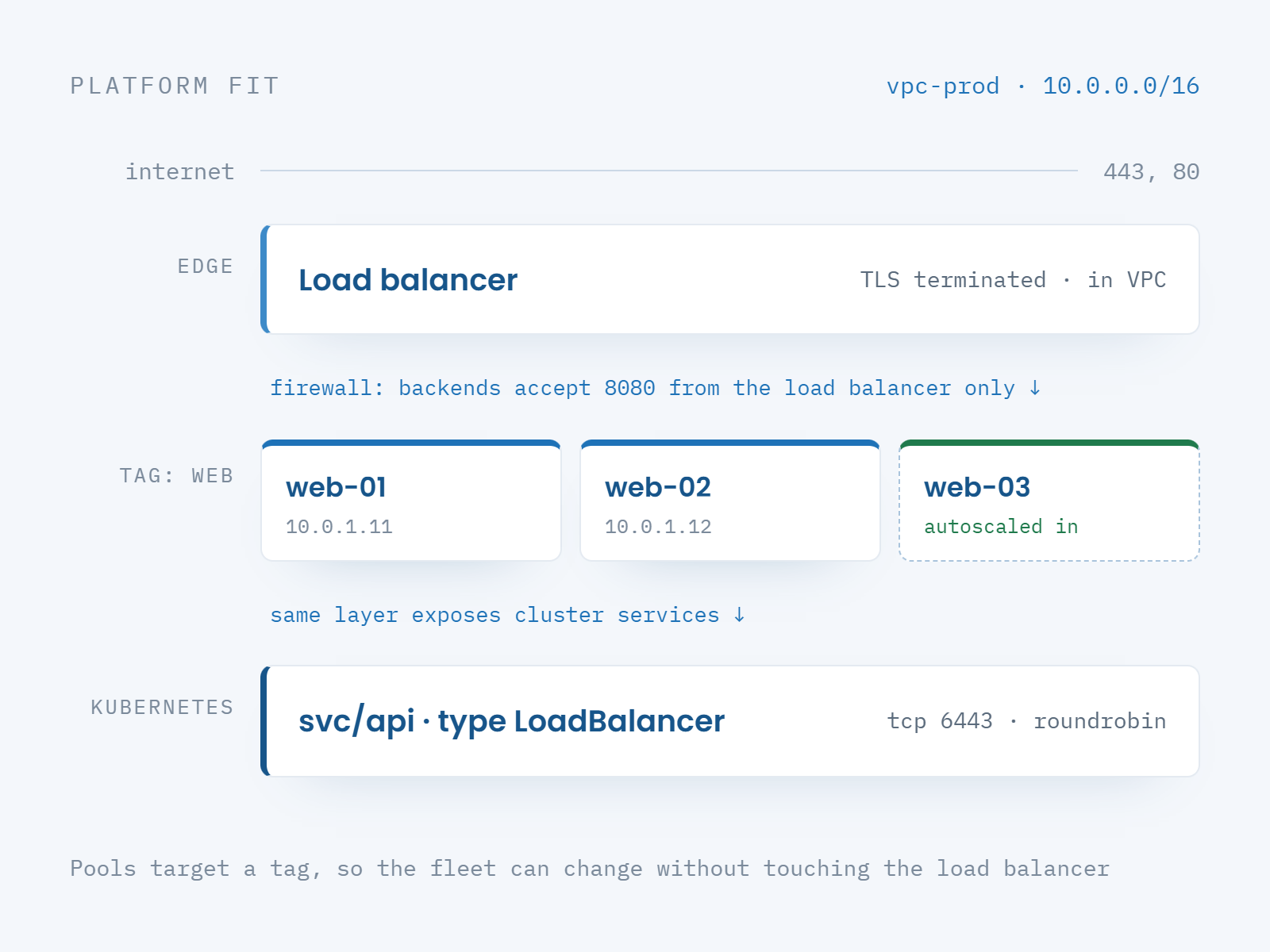
A load balancer inside a VPC targeting a tag-based backend pool behind firewall policy, also exposing Kubernetes services.

One flat monthly price per load balancer

No charge per rule, per backend or per health check — add instances to the pool without changing what the load balancer costs.

Where a load balancer changes the architecture

Anywhere one server in front of the application is a risk you have accepted for too long.

Availability

Web tier redundancy

Two or more identical web servers behind one address, so a host failure is a capacity event and not an outage.
Releases

Zero-downtime deploys

Roll a release through the pool one backend at a time, or shift traffic between blue and green fleets.
Peaks

Campaign traffic

Add instances for the launch or the sale, remove them afterwards, and keep the same public endpoint throughout.
Internal

Service-to-service traffic

Balance internal APIs, brokers and proxies inside the VPC without publishing anything to the internet.
Setting one up? The docs cover the whole flow.

Forwarding rules, certificates, health check paths, sticky sessions and the API and Terraform equivalents.

Frequently asked questions about Load Balancers

What is an Antyxsoft Load Balancer?

A managed service that accepts traffic on one address and distributes it across a pool of backend instances. Antyxsoft runs the load balancing layer and its redundancy, so there is no appliance or HAProxy cluster for your team to build and patch — the knowledge base has the configuration reference.

Which protocols and algorithms are supported?

HTTP, HTTPS and TCP forwarding rules per port, distributed round robin or by least connections, with sticky sessions available for applications that hold state locally.

How do health checks work?

Point a check at a TCP port or an HTTP path and set the interval and the failure and recovery thresholds. A backend that fails is removed from rotation and returned automatically once it passes again.

Can the load balancer terminate SSL?

Yes — terminate HTTPS at the edge with your certificate, or pass TLS through to backends that terminate it themselves.

Does it work with tags, VPC and Kubernetes?

Yes. Pools can target a tag so they follow your fleet as it scales, the load balancer deploys inside your VPC behind firewall policy, and managed Kubernetes services can be exposed through the same layer.

Stop deploying at midnight

Put a load balancer in front of the application, add a second backend, and both the failure case and the release process get boring.