Developer tools

Cloud control panel — deploy, scale and bill from one place

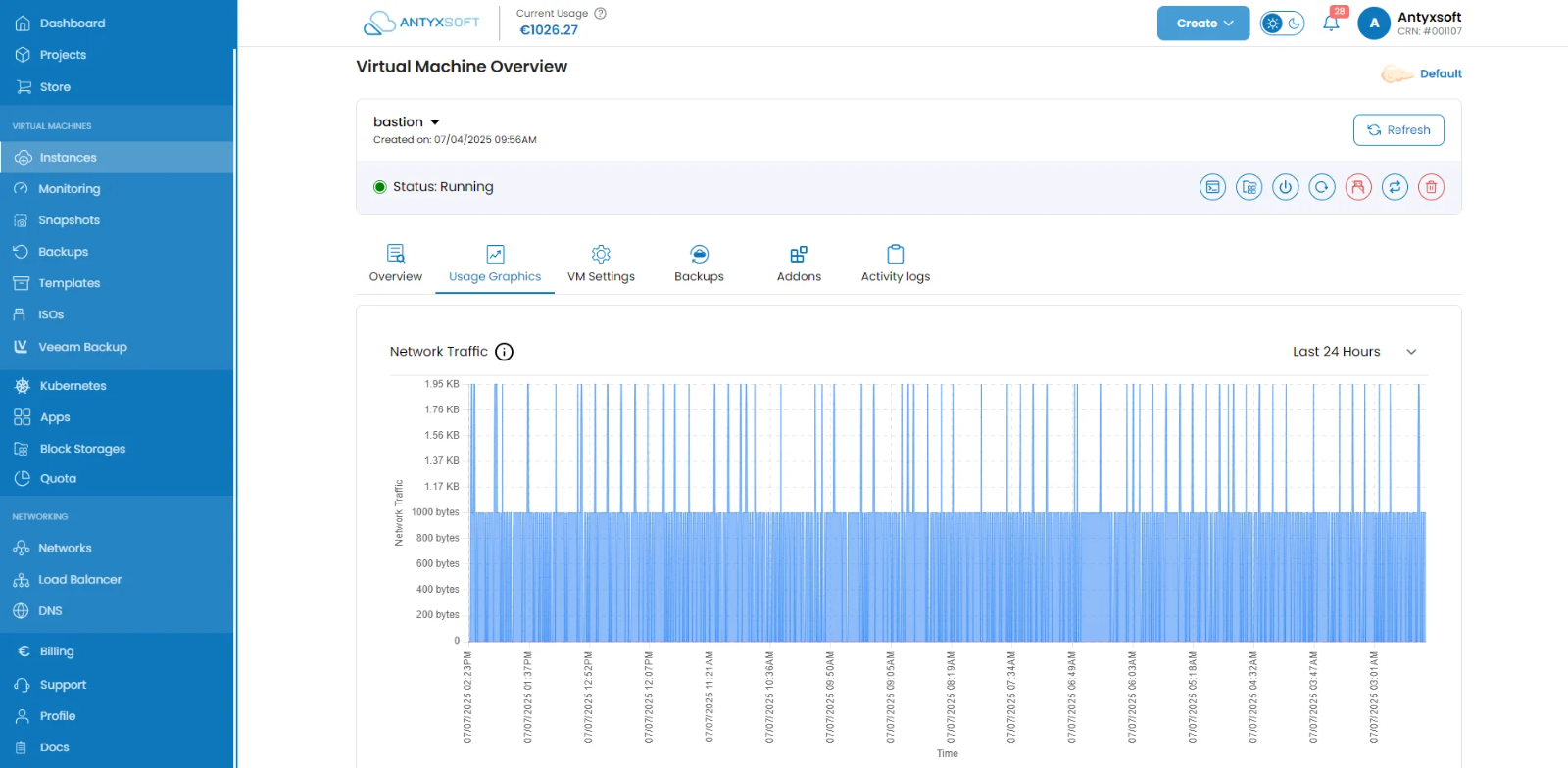
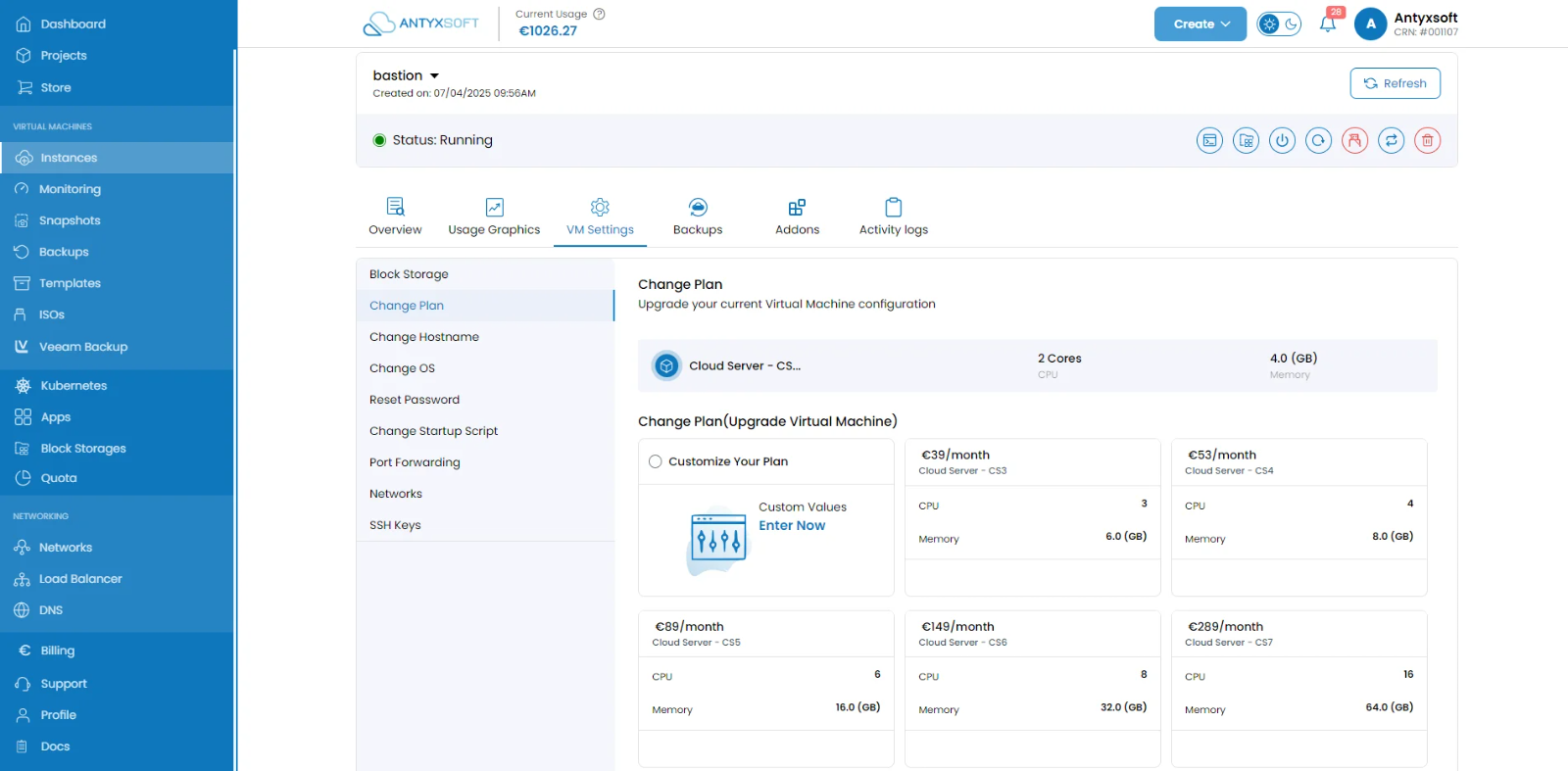
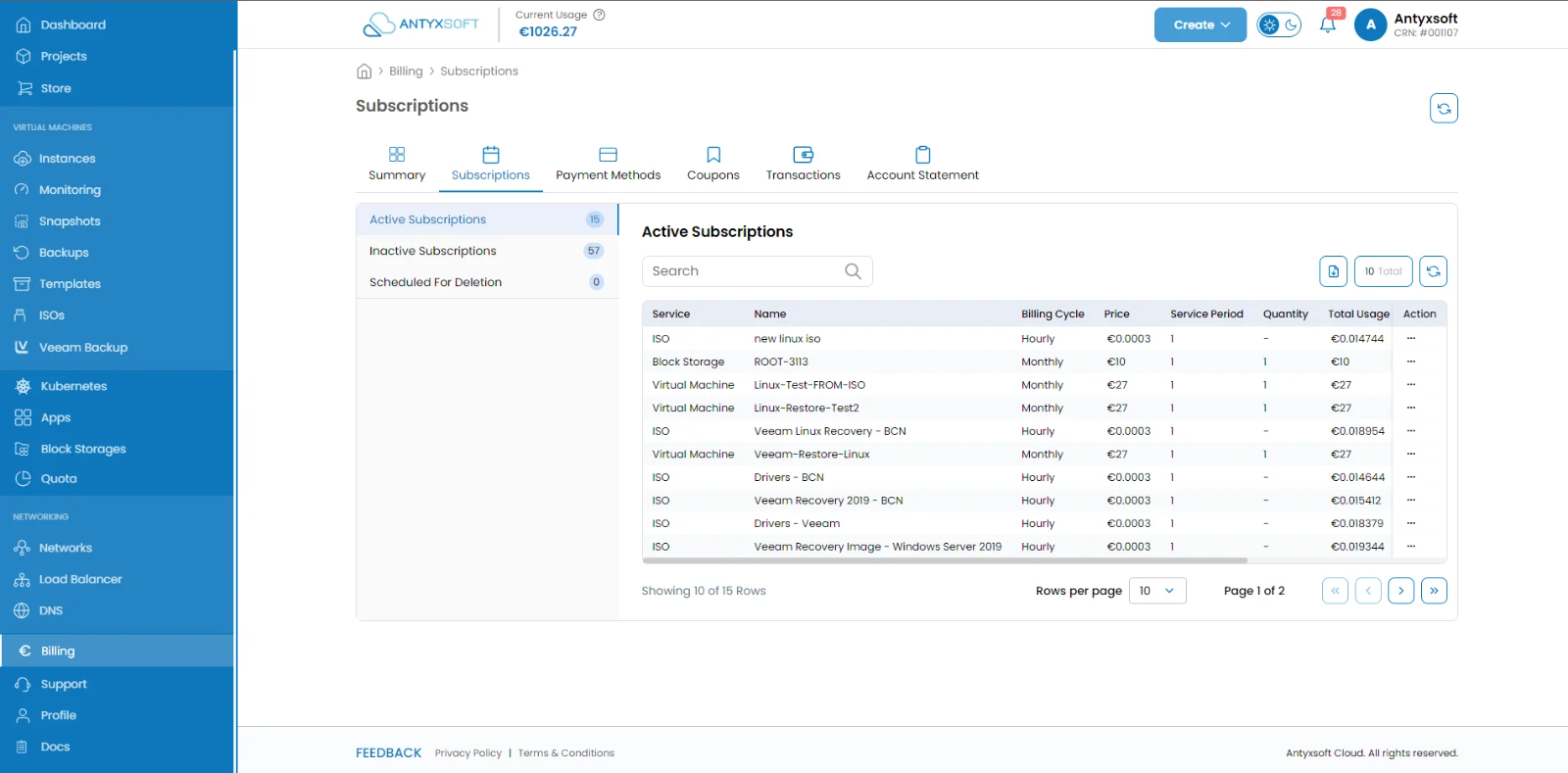
Deploy a virtual machine in seconds, resize CPU, memory and storage when the workload changes, watch live performance metrics, and keep subscriptions, payments and invoices in the same interface. No console gymnastics, no separate billing portal — and included with every account.
Deploy in secondsLive metrics and resizingSubscriptions and invoices
portal.antyxsoft.io
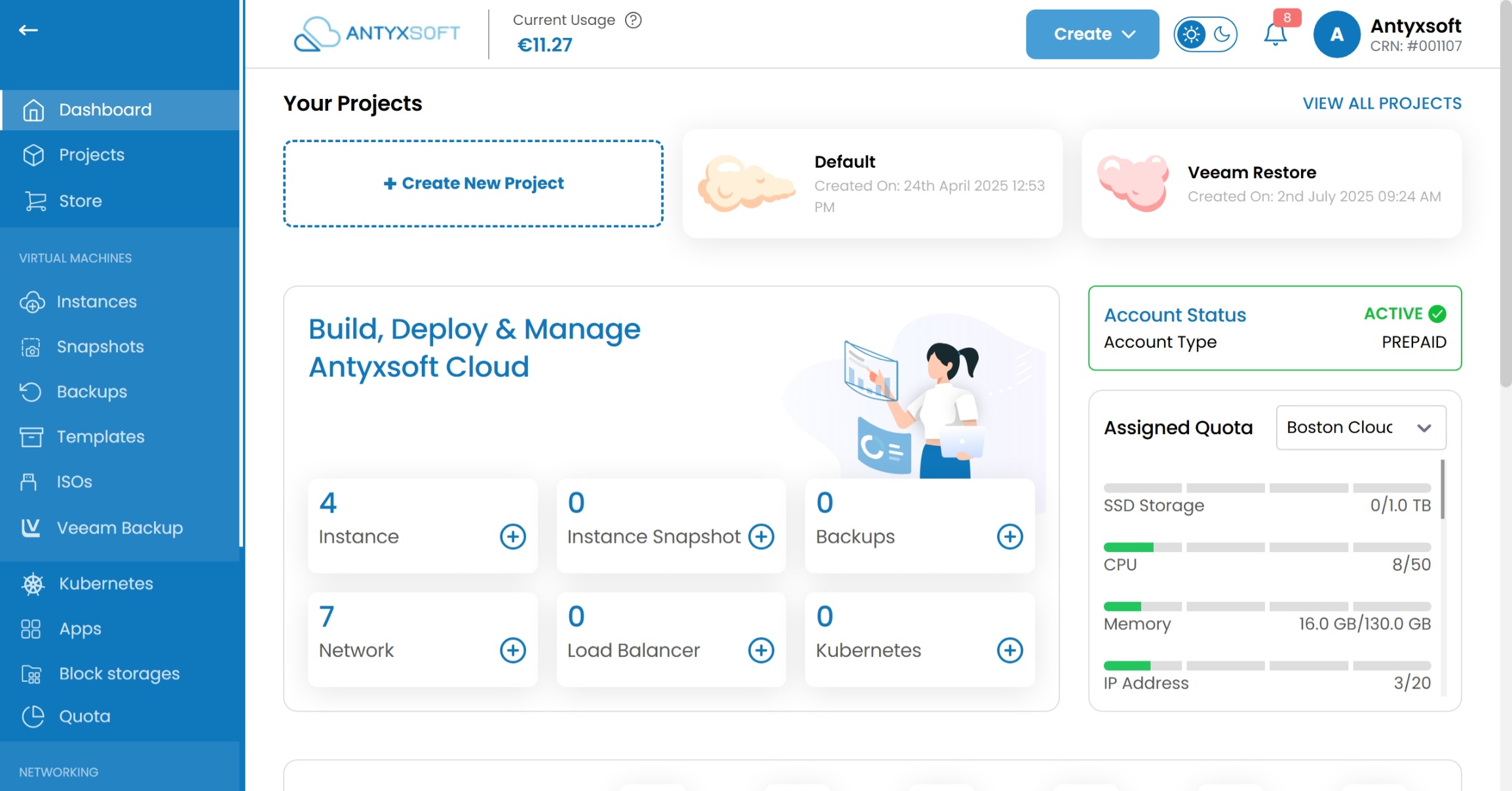
The Antyxsoft control panel dashboard showing project cards, instance, network and Kubernetes counts, account status and assigned quota for CPU, memory, storage and IP addresses

Easy management and control of your infrastructure

Whether you are deploying virtual machines, scaling an application or reconciling a bill, the panel puts the whole estate a few clicks away.

Deploy your machines

Choose the plan that fits, pick your region, and have the instance running in seconds — from an OS image or a Marketplace app.

Manage your resources

Scale up or down when you need to and add services — volumes, firewalls, load balancers — to the same instance.

Manage your subscriptions

Follow billing and invoicing, keep track of payments, and — if you resell — of your customers' subscriptions too.

Interactive demo

Configure an instance the way you would in the panel

Pick a region, a plan, an image and a volume — the monthly figure updates as you go. Deploying runs a simulation of the real provisioning sequence: nothing is created, and no account is needed.

Region
Plan
Image
Block storage volume
100 GiB · 0,10 € per GiB
Monthly total
portal.antyxsoft.io / instances
No instances yet

Your configuration is ready to go.

Press deploy to watch the provisioning sequence.

A tour of the panel, screen by screen

Provisioning

Create and deploy without leaving the browser

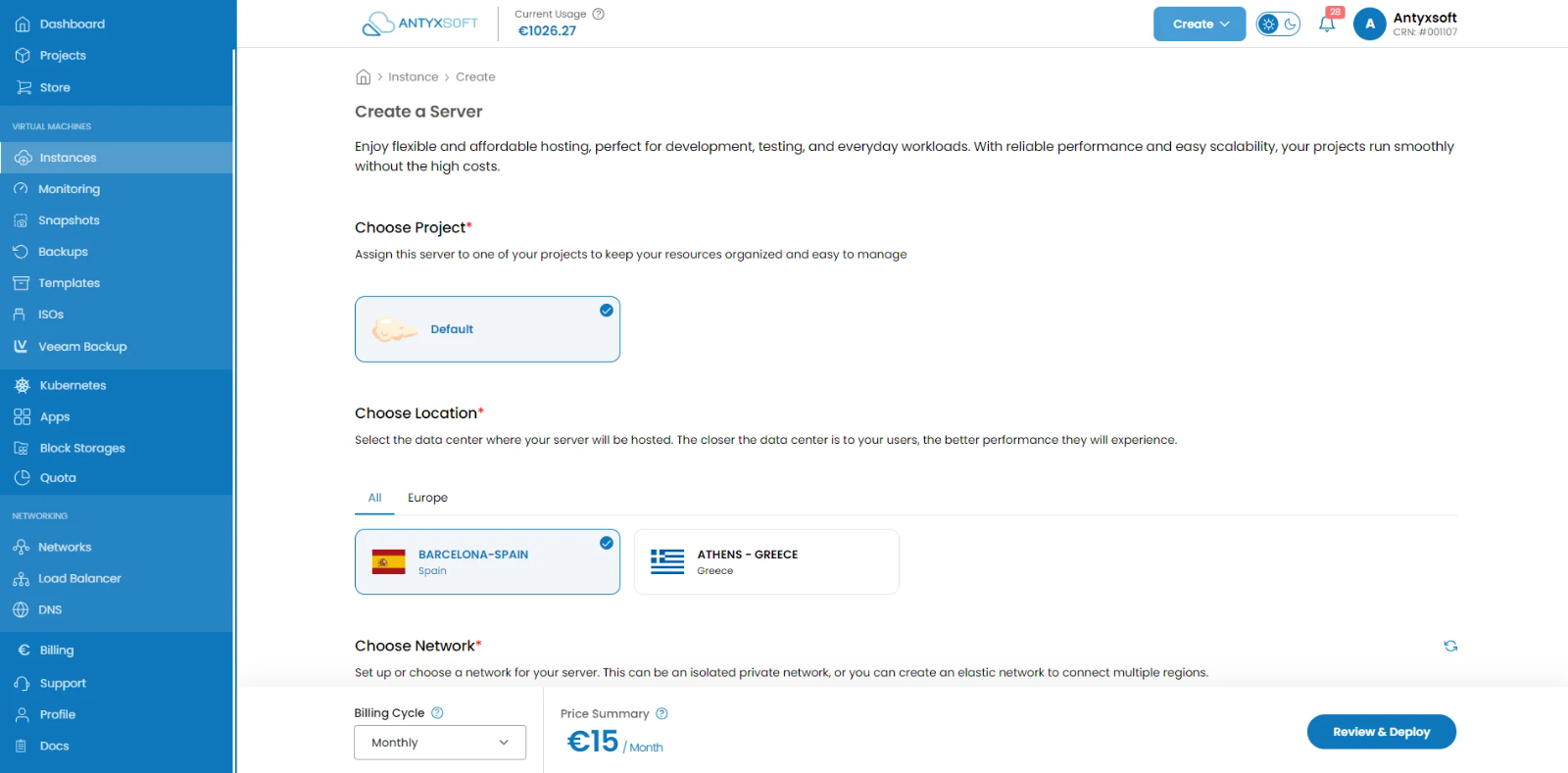
Deploy new virtual machines in minutes: pick a region, a plan, an operating system template or a Marketplace image, add your SSH key, and go. The same flow covers a one-off test box and the tenth node of a production fleet.
Operating system templates and one-click applications
Region selection at creation time
SSH keys, tags and networking set up front
The Antyxsoft control panel instance creation screen: region, plan, operating system image, SSH key and networking selected before deploying

Manage your infrastructure from anywhere

Desktop, tablet or phone — the panel is responsive, so restarting an instance from a train is the same three taps as from your desk. Everything it does is also available through the platform API when you would rather script it.

Frequently asked questions about the control panel

What can I do in the Antyxsoft control panel?

Deploy and destroy instances, choose plans and regions, attach storage and add-ons, resize CPU, memory and disk, watch live metrics, manage networking and firewalls, and handle subscriptions, payments and invoices — see the knowledge base for each area.

Does the control panel cost anything?

No. The panel is included with every Antyxsoft Cloud account at no additional charge — you pay only for the resources you deploy.

Can I manage my infrastructure from a phone?

Yes. The panel is responsive, so the same account and the same actions are available from a desktop, tablet or mobile browser.

Is there an API as well as the panel?

Yes. Anything you do by hand in the panel can be automated through the platform API, so the panel and your infrastructure code stay consistent with each other.

Can resellers manage customer subscriptions?

Yes. Partners can track customer subscriptions, payments and invoices from the same panel — see the partner programme for the commercial detail.

Start your cloud journey today

Sign up to the Antyxsoft Cloud platform, deploy your first instance within minutes, and see how much of the work the panel takes off your hands.