Growing a database volume without downtime
Resize the volume, extend the partition, grow the filesystem, verify — the order that avoids an outage, and the two steps people skip.
A database volume filling up is one of the few infrastructure problems with a deadline attached. At 100% the database stops accepting writes, and on some engines it does not come back cleanly. The good news is that growing a volume is a routine, online operation. The bad news is that three separate layers have to be grown, in order, and skipping one is where the outage comes from.
The three layers
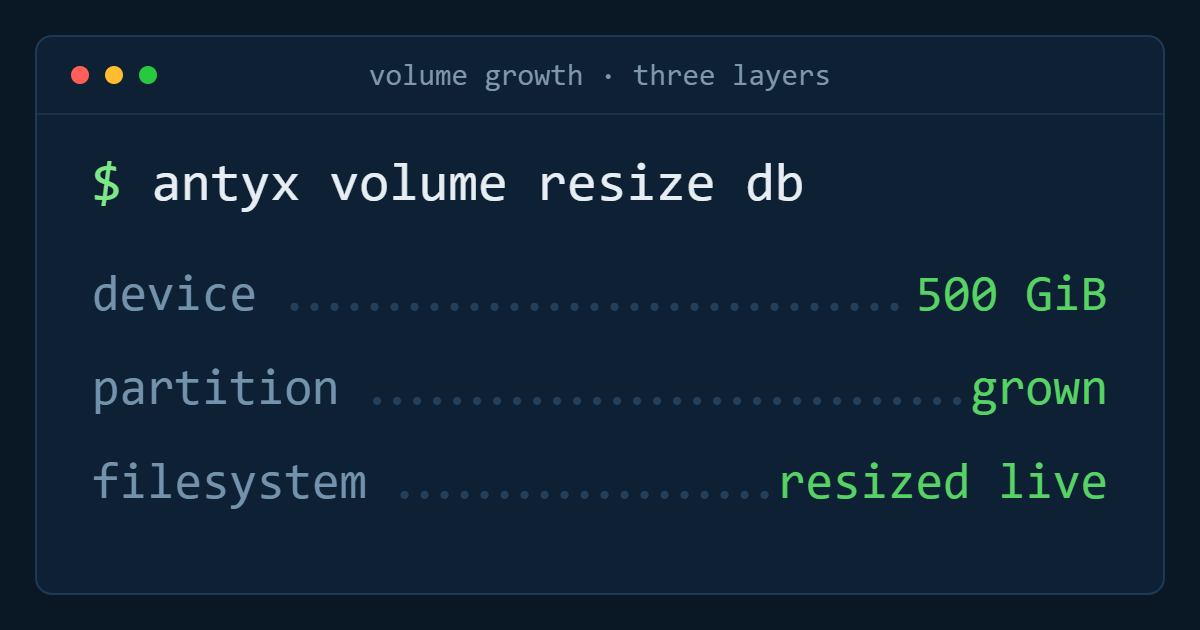
When you resize a volume in the portal, you have made the block device bigger. Nothing else has changed. Above the device sits a partition table, and above that a filesystem. The database only sees the filesystem. So the sequence is always: volume, then partition, then filesystem — and each step needs its own command.
Teams that report resizing did nothing have almost always stopped after step one.
Before you touch anything
Take a snapshot. Not because resizing is dangerous — it is one of the safer operations — but because it costs one click and turns a bad thirty minutes into a five minute rollback. Name it after the change so you know later what it was for.
Then record the current state so you can prove the change worked:
df -h /var/lib/postgresql && lsblk
Note the device name. On a Linux instance an attached volume is usually /dev/vdb, with the filesystem either directly on the device or on a single partition such as /dev/vdb1. Which of the two you have decides whether you need the partition step at all.
Step one: resize the volume
Expand the volume to the new size from the Antyxsoft Cloud Control Panel, or programmatically as part of your provisioning pipeline. There is no service interruption and no instance rebuild; the device simply becomes larger. Give it a few seconds and confirm the kernel has noticed:
lsblk
The device should now show the new size while the filesystem still shows the old one. That difference is exactly what the next two steps close.
Size the increase generously. Volumes can be expanded but not shrunk, so the cost of going too small is another maintenance window, while the cost of going too big is a few euro a month. Going from 500 to 900 GiB rather than to 600 GiB is usually the right instinct on a growing database.
Step two: extend the partition, if there is one
If the filesystem sits on a partition, the partition has to be grown before the filesystem can use the new space:
growpart /dev/vdb 1
This rewrites the partition end online. If the filesystem was created directly on the whole device, skip this — there is nothing to grow, and running partition tools on an unpartitioned device is how people damage a volume that was otherwise fine.
Step three: grow the filesystem
This is the step the database actually cares about, and both common filesystems support doing it while mounted:
resize2fs /dev/vdb1 for ext4, or xfs_growfs /var/lib/postgresql for XFS. Note the difference: ext4 takes the device, XFS takes the mount point.
Neither requires unmounting, stopping the database, or a reboot. On a busy volume the operation adds some I/O load for a short period, so if you have a quiet hour, use it — but you do not need an outage window.
Step four: verify, then verify what the database thinks
Two checks, not one. First the filesystem:
df -h /var/lib/postgresql
Then the database. Most engines cache nothing about free space and pick it up immediately, but a database that hit a full disk earlier may have left something in a degraded state — a paused replica, a stalled write-ahead log archive, a failed autovacuum. Check the log for the window when the disk was near full and confirm the background jobs resumed. On PostgreSQL, look for the archiver and autovacuum activity; on MySQL, confirm the binary log is rotating again.
What to do differently on Kubernetes
The same three layers apply, but you drive them declaratively. Edit the PersistentVolumeClaim to request the larger size and let the CSI driver expand the underlying volume. Whether the filesystem grows automatically depends on the storage class and whether online expansion is allowed; if the PVC shows the new capacity but the pod still reports the old, the filesystem step has not happened, and restarting the pod is usually what triggers it.
Do this before the volume is critical. A PVC expansion that needs a pod restart is a very different conversation at 95% full than at 60%.
Two habits that make this a non-event
The first is alerting on rate, not just level. A volume at 70% that has been at 70% for six months needs nothing. A volume that went from 40% to 70% in a week needs a resize this month. Alert on both the threshold and the trend.
The second is separating the data volume from the instance disk in the first place. When the database data directory lives on its own volume, growing storage is a resize. When it lives on the boot disk, growing storage means resizing the instance — a bigger plan, a different price, and usually a restart.
Antyxsoft volumes expand with no service interruption at 0,10 € per GiB per month in every region — see how block storage works.
Antyxsoft Cloud
Written by the engineers who operate the Antyxsoft platform.