A baseline firewall policy for a three-tier application
The inbound and outbound rules to start from for web, application and data tiers — and the two that are almost always too permissive.
Most environments do not have a firewall problem. They have a firewall inventory problem: forty rules accumulated over two years, three of which nobody can explain, and no single place that answers the question "what does this server accept?"
A baseline fixes that by starting from a policy shape rather than from incidents. Here is the one we hand to customers building a normal three-tier application — a load balancer, some web and application instances, a database — and the two rules that are almost always wider than the person who wrote them intended.
Group by role before you write a single rule
The unit of policy is the role, not the machine. Tag every instance with what it does: web, app, database, bastion. Attach one firewall per tag. This is the whole reason the baseline stays readable at fifty instances — new machines inherit policy the moment they are tagged, and retiring one leaves nothing behind in a rule list.
It also lets rules reference other tags as their source. "The database accepts connections from the application tier" becomes a single line that stays true when the application tier is rebuilt with different addresses, instead of a maintained list of IPs that drifts out of date silently.
The baseline, tag by tag
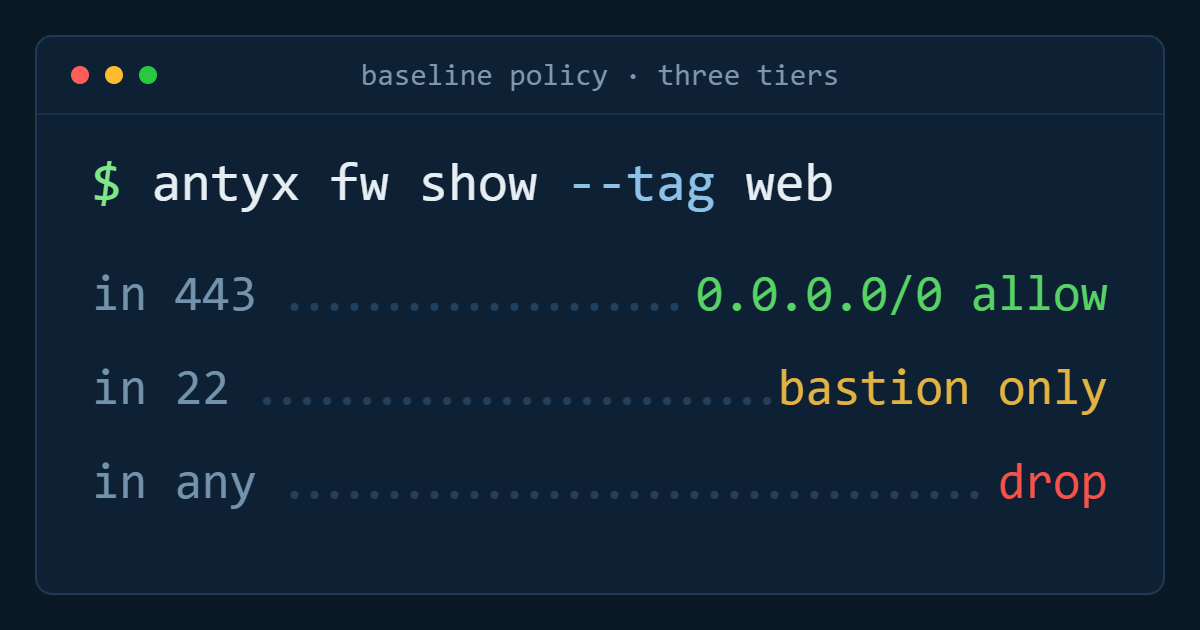
tag: web. Inbound TCP 443 from 0.0.0.0/0 and ::/0. Inbound TCP 80 from the same, if you redirect to HTTPS rather than dropping plaintext outright. Inbound TCP 22 from tag: bastion only. Everything else dropped. Outbound: TCP 8080 to tag: app, TCP 443 to your package mirror, UDP 53 to your resolver, and nothing else.
tag: app. No inbound from the internet at all. Inbound TCP 8080 from tag: web. Inbound TCP 22 from tag: bastion. Outbound TCP 5432 (or 3306) to tag: database, TCP 443 to the specific third-party APIs the application calls, UDP 53 to the resolver. Everything else dropped.
tag: database. Inbound the database port from tag: app only. Inbound TCP 22 from tag: bastion. Outbound to the replica and to your backup target, nothing more. A database has no business initiating connections to the internet.
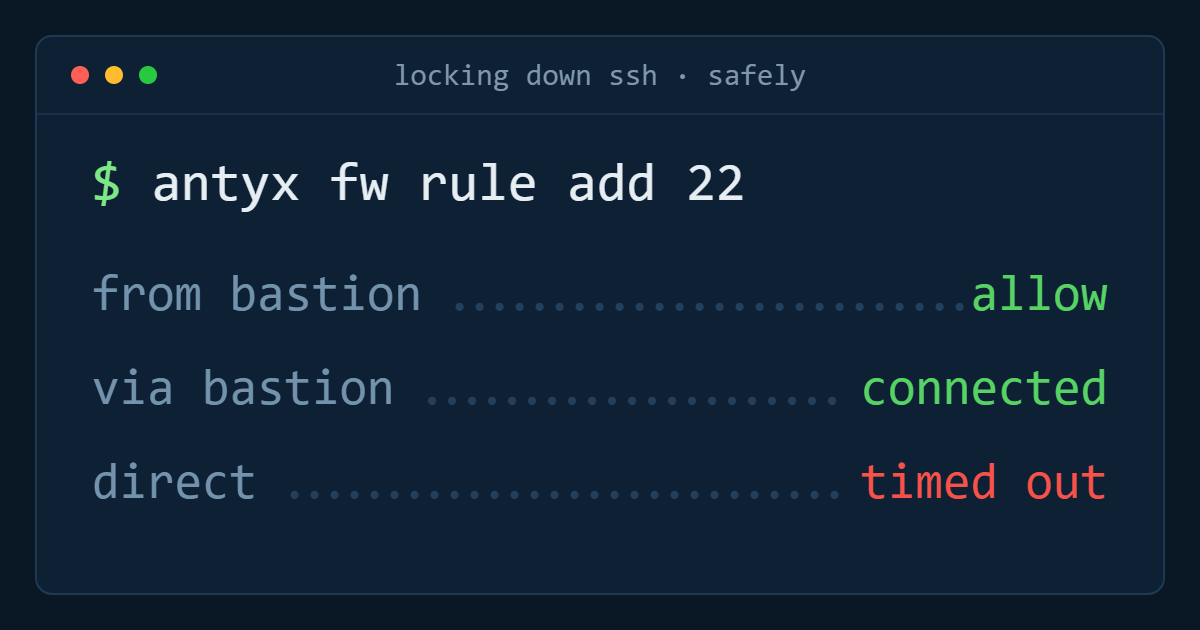
tag: bastion. Inbound TCP 22 from named office and VPN ranges — never from 0.0.0.0/0. Outbound TCP 22 to the private tags. This is the one host whose exposure you should be able to recite from memory.
The two rules that are always too permissive
The first is SSH from anywhere. It appears during the first hour of a project, when there is no bastion yet and someone needs to get in, and then it stays. Keys make it survivable, not safe: an open 22 means every credential leak, every stolen laptop and every unpatched OpenSSH advisory is directly exploitable rather than one hop removed. Put the bastion in early, even if the bastion is a single small instance you stop when you are not using it.
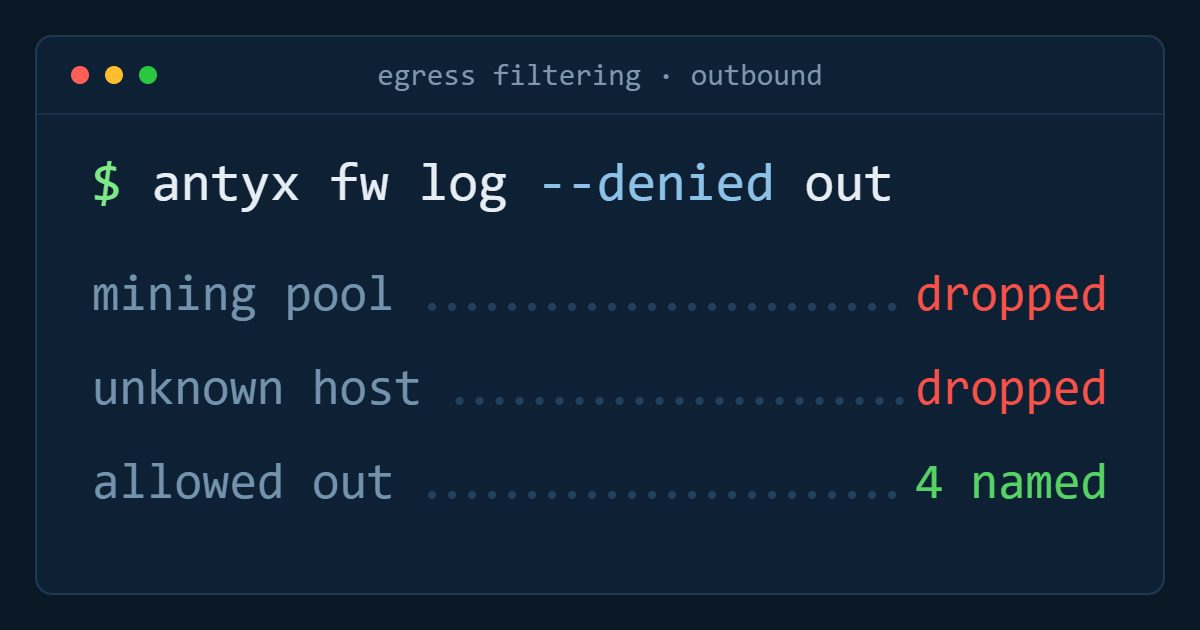
The second is unrestricted outbound. Almost every environment allows all egress because it is what happens if you write no outbound rules at all, and because restricting it means finding out what your application actually talks to. That discovery is the point. A compromised process with unrestricted egress can reach a command-and-control host, a mining pool, or an attacker's bucket; the same process with four allowed destinations fails at the first attempt and shows up in the logs.
What to leave out
Resist per-instance exceptions. The moment a rule exists for one machine rather than one role, the baseline stops being reviewable — and the exception outlives the reason for it. If a machine genuinely needs different policy, it has a different role: give it a tag.
Resist port ranges too. 30000-32767 in an inbound rule is not a policy, it is a shrug. If a service needs a range, put a load balancer in front of it and allow that instead.
How to verify it
Read the policy back per tag and ask, for each rule, which application behaviour breaks if you delete it. Any rule with no answer goes. Then test from the outside: from a machine with no tag, try to reach the database port, the application port and SSH on each tier. The only thing that should answer from the internet is the load balancer.
Do that once when you build the baseline, and again after any change made during an incident — the shortcut added at 03:00 to restore service is the single most common reason a correct policy stops being correct.
The short version
One firewall per role, tags as rule sources, deny by default in both directions. SSH only from a bastion, egress restricted to named destinations, no per-instance exceptions and no port ranges. Then delete every rule you cannot justify out loud.
Antyxsoft Cloud Firewalls are stateful, agentless and included with every instance at no extra charge, with unlimited firewalls and rules — see how Cloud Firewalls work.
Antyxsoft Cloud
Written by the engineers who operate the Antyxsoft platform.